
Disclosure: Home Tech Land is reader supported. As an Amazon Associate, we earn from qualifying purchases made through links on this page, at no extra cost to you.
Last updated: November 2026
How we research: we build care and troubleshooting guides from TV makers’ own support pages, then compare them with consumer testing groups and owner reports. We do not claim hands-on testing.
Dust, fingerprints, and the odd sneeze show up fast on a big screen, especially in a bright room. Knowing how to clean a TV screen safely matters more than it seems, because modern panels have delicate anti-glare coatings that the wrong cleaner or cloth can damage for good. This guide covers the method TV makers recommend, what to avoid, and how to handle stubborn marks on light-emitting diode (LED), quantum dot LED (QLED), and organic light-emitting diode (OLED) TVs.
Quick Answer: Turn the TV off, let it cool, and unplug it. Wipe the screen gently with a dry microfiber cloth. For stubborn marks, lightly dampen the cloth with distilled water (never spray the screen), wipe with light pressure, and let the TV dry completely before plugging it back in. Never use window cleaner, alcohol, ammonia, acetone, soap, or paper towels.
Key Takeaways
- A dry microfiber cloth removes most dust and fingerprints on its own.
- Apply liquid to the cloth, never directly to the screen. Samsung warns that liquid inside the TV can cause failure, fire, or electric shock.
- Household cleaners with alcohol, ammonia, or other solvents can strip a screen’s anti-glare coating permanently.
- Paper towels, kitchen roll, and abrasive pads can scratch the screen.
- OLED TVs do not need special cleaners, but their thin panels need extra care when you press on them.
What You Need
You do not need much, and you probably have most of it already.
- Two clean, dry microfiber cloths (one to clean, one to dry)
- Distilled water in a small spray bottle (tap water can leave mineral spots)
- A soft duster or a handheld vacuum with a brush attachment for the stand and ports (optional)
- A screen cleaner that your TV maker approves (optional, and only if water does not shift a mark)
How to Clean a TV Screen, Step by Step
- Turn off the TV, let it cool, and unplug it. Samsung’s US support page says to turn the TV off and let it cool for a few minutes before unplugging it. A dark screen also shows dust and smudges more clearly.
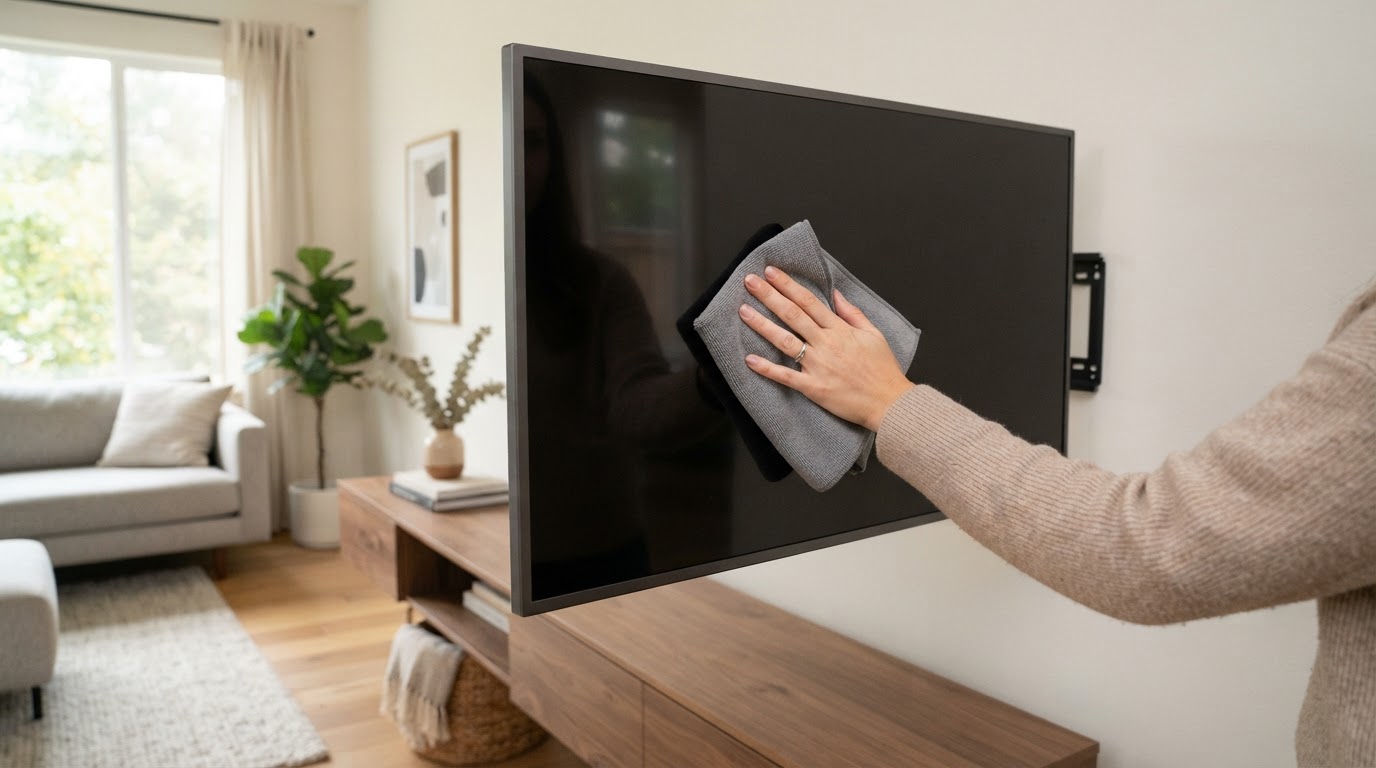
- Dust the screen with a dry microfiber cloth. Wipe gently across the screen with a clean, dry microfiber cloth. Use light pressure and let the cloth do the work.
- Dampen the cloth for stubborn marks. Lightly mist distilled water onto the cloth, not the screen. The cloth should feel barely damp, never wet.
- Wipe gently in small circles. Consumer group Which? recommends small circles with very little pressure. Support the back of the TV’s frame with your other hand if the TV wobbles.
- Dry the screen with a second cloth. Buff away any moisture or streaks with a dry microfiber cloth.
- Clean the frame and stand. Wipe the frame, stand, and back with a microfiber cloth. Samsung’s UK support page suggests a cloth dampened with a small amount of water for the body, followed by a dry wipe.
- Let the TV dry completely before plugging it in. Wait until every surface is fully dry, then reconnect the power and turn it on.
What Never to Use on a TV Screen
TV screens have layers designed to cut glare and reflections. Samsung’s US support page says the wrong cleaner can “strip the anti-glare coating off the screen and cause permanent damage.” Leave these out:
- Window or glass cleaner: LG’s advice, as reported by Which?, is direct: “Don’t use glass cleaner.”
- Alcohol, ammonia, acetone, benzene, and paint thinner: Samsung lists cleansers with these solvents as off limits.
- Soap, scouring powder, and wax: Samsung’s US page names all three.
- Paper towels, tissues, and kitchen roll: Samsung says never to use abrasive pads or paper towels, and Which? warns against rough cloths and kitchen roll.
- Disinfecting wipes: most contain alcohol or other cleaning agents, so they fall into the same category as household sprays.
- Spraying anything directly on the screen: liquid can run down behind the bezel and into the electronics.
Which? also points out that nearly every kitchen and bathroom cleaner could damage a TV screen, and that using an unapproved product could affect your warranty. When in doubt, follow your TV maker’s own guidance.
Brand Guidance at a Glance
TV makers agree on the basics but differ on what liquid, if any, is allowed. This summary is based on the brands’ support pages and the Which? roundup of manufacturer advice.
| Brand | Liquid Allowed | Key Rule |
|---|---|---|
| Samsung | Distilled water on the cloth (some regions allow a screen cleaner on the cloth) | Never spray the TV; no window cleaner, alcohol, ammonia, or paper towels |
| LG | Water on the cloth at most | No glass cleaner |
| Sony | Mild soap and warm water on a slightly damp cloth | Small circular motions |
| Hisense | Water on the cloth at most | Apply liquid to the cloth, never the screen |
| Philips | No household cleaners or alcohol | Check the manual before using any liquid |
| Panasonic | Clean water or a neutral detergent diluted 1:100 | Apply liquid to the cloth, never the screen |
If your TV’s manual says something different, follow the manual. It is written for your exact screen coating.
How to Clean OLED and Matte Screens
Which? says you do not need to treat an OLED TV any differently from a liquid crystal display (LCD) model, and you will not need special cloths or fluids. The difference is physical: OLED panels can be very thin, especially near the top. Support the back of the panel with your free hand and keep pressure light so you do not flex the screen.
Matte and anti-glare screens are the most sensitive to chemicals because the coating is what cuts reflections. Stick to a dry cloth, then a cloth dampened with distilled water. Samsung’s guidance for its lifestyle TVs with special reflective surfaces, such as The Frame and The Serif, starts with a damp microfiber cloth and allows a melamine foam sponge only on a spot already dampened with water. Do not use that method on a regular TV unless your manual says so.
How to Remove Stubborn Marks
- Greasy fingerprints: go over the spot twice with a barely damp cloth, then dry it. Repeat rather than pressing harder.
- Dried splashes: hold the damp cloth against the spot for a few seconds to soften it, then wipe in small circles.
- Streaks after cleaning: the cloth was too wet or dirty, or you used tap water. Switch to a fresh cloth and distilled water.
- Marks that will not move: check whether the mark is on the surface at all. A spot that stays visible when the TV is on, cannot be felt, and does not wipe away may be a panel issue rather than dirt. Our guide to calibrating TV picture settings helps with color and uniformity problems that can look like smudges.
How to Clean the Ports, Vents, and Remote
Dust builds up in vents and ports and can affect cooling and connections. Which? suggests wiping ports with a cloth or using a vacuum on its lowest setting held away from the TV, without pushing into the port. Also avoid plugging a dusty cable into a High-Definition Multimedia Interface (HDMI) or Universal Serial Bus (USB) port. If one input starts dropping out after cleaning, our guide for when your TV says no signal walks through the fixes.
For the remote, take out the batteries and wipe it with a cloth dampened with a little water. Use a dry cotton swab around the buttons.
Common Mistakes
- Cleaning a warm, powered-on screen. Liquid reacts badly with a hot panel, and an on screen hides smudges.
- Pressing hard on stubborn spots. Pressure can damage pixels or flex thin panels. Use more passes, not more force.
- Reusing a dirty cloth. Trapped grit acts like sandpaper. Wash microfiber cloths without fabric softener and let them air dry.
- Using whatever spray is under the sink. Even mild-looking glass sprays often contain ammonia or alcohol.
- Cleaning too often. A quick dry dusting once a week is usually enough. Save damp cleaning for marks you can see.
Recommended Gear
Overall pick: a multi-pack of plush microfiber cloths, because a clean, dry microfiber cloth handles most TV cleaning on its own and every TV maker recommends one. These picks are based on the product listings and owner reports.
| Product | Why It Helps | Price Range | Link |
|---|---|---|---|
| Microfiber cleaning cloths (multi-pack) | Soft, lint-free cloths for dusting and drying without scratches | Under $50 | Check price on Amazon |
| Fine mist spray bottle | Lets you mist distilled water onto the cloth lightly and evenly | Under $50 | Check price on Amazon |
| Alcohol-free and ammonia-free screen cleaner | A backup for marks water cannot lift, if your TV maker allows a cleaner | Under $50 | Check price on Amazon |
| Electronics dust brush | Clears dust from vents, ports, and the stand without moisture | Under $50 | Check price on Amazon |
Check the ingredients list on any screen cleaner before you buy it, and confirm your TV maker allows it.
If your screen has scratches or damage that cleaning cannot fix, our best smart TV for the money guide covers current value picks, and our TV size calculator helps you choose the right size for your room.
Frequently Asked Questions
Can I use Windex on my TV screen?
No. Window and glass cleaners usually contain ammonia or alcohol, which can strip a TV’s anti-glare coating. Samsung says never to use window cleaner, and LG says not to use glass cleaner. Use a dry microfiber cloth, then a cloth lightly dampened with distilled water.
Is it safe to clean a TV screen with water?
Yes, if you use a small amount on the cloth. Samsung’s US support page recommends distilled water sprayed onto a microfiber cloth for stubborn marks. Never spray water directly on the screen, and let the TV dry completely before plugging it in.
How do I clean an OLED TV screen?
The same way you clean any modern TV: power it off, wipe with a dry microfiber cloth, and use a barely damp cloth for stubborn marks. Which? says OLED TVs need no special cloths or fluids. Use very light pressure and support the thin panel from behind.
Can I use alcohol wipes or disinfecting wipes on a TV?
No. Samsung lists alcohol among the solvents to avoid, and most disinfecting wipes contain alcohol or other cleaning chemicals. They can damage the anti-glare layer permanently.
Why does my TV screen look streaky after cleaning?
Streaks usually come from a cloth that is too wet, a dirty cloth, or minerals in tap water. Buff the screen with a clean, dry microfiber cloth, and switch to distilled water next time.
How often should I clean my TV screen?
A light dry dusting about once a week keeps most screens clear. Damp cleaning is only needed for fingerprints, splashes, or other visible marks.
Related Guides
- How to Calibrate TV Picture Settings Without Tools (Any Brand)
- TV Picture Too Dark? How to Fix a Dim Screen (Samsung, LG, Roku TV, and Sony)
- How to Mount a TV on Drywall Safely (Studs, Anchors, and Weight Limits)
- TV Says No Signal? How to Fix It (HDMI, Cable Box, and Antenna)
- Best Smart TV for the Money in 2026: Top Value Picks at Every Price
Get Our Weekly Tech Tips
Sign up for one short email a week with TV fixes, setup guides, and the tech deals worth your time.