
Home Tech Land is reader-supported. When you buy through links on our site, we may earn a commission. As an Amazon Associate, we earn from qualifying purchases.
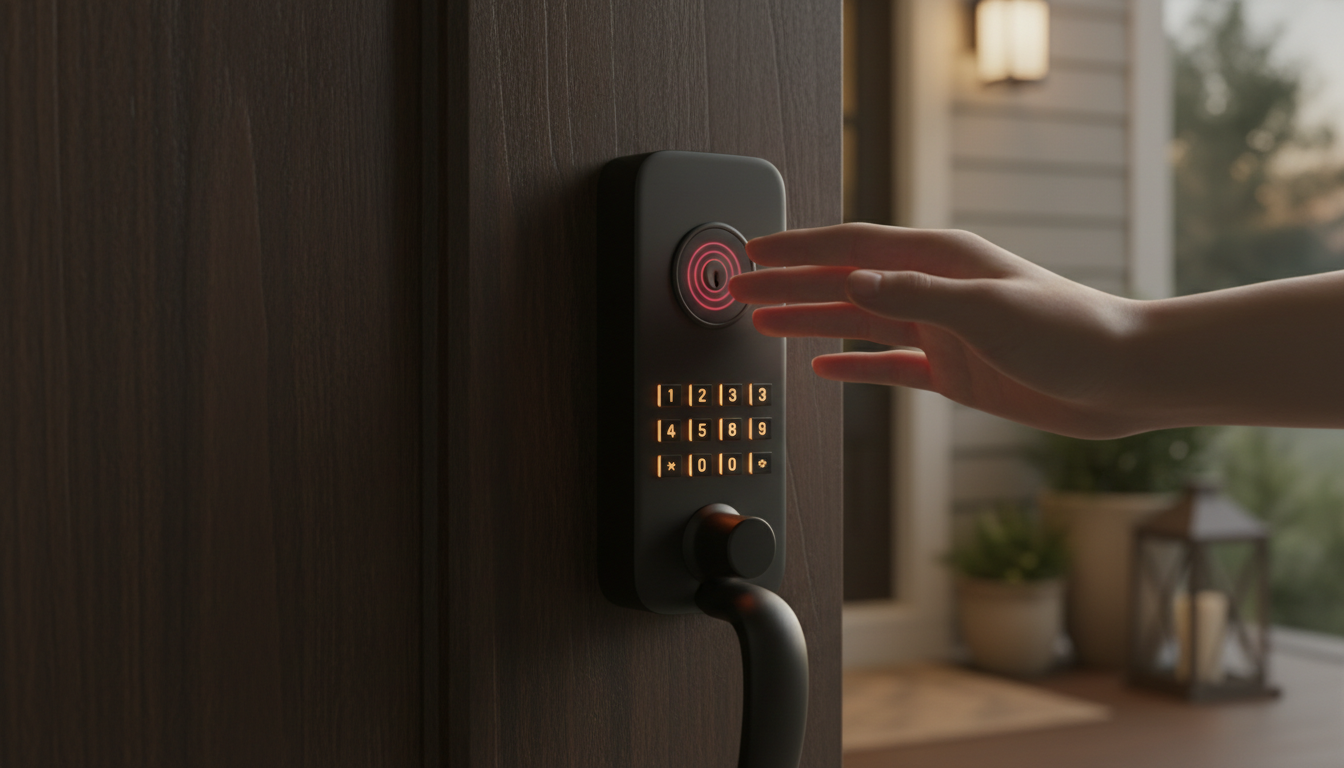
The Wyze Palm Lock unlocks your front door when you hover your hand over it. Instead of reading your fingerprint, it scans the vein pattern under the skin of your palm, a method that works even with wet or dirty hands. At a list price of about $130, it’s one of the cheapest palm-scanning smart locks you can buy. This Wyze Palm Lock review covers how it works, how secure it is, what it does well, and which smart locks on Amazon are worth comparing before you buy.
Quick verdict: The Wyze Palm Lock offers fast, reliable palm unlocking, a strong auto-lock feature, and a solid app for the price. It skips Apple Home and Matter support, so it fits best in homes that use Alexa, Google Assistant, or other Wyze gear. Check the Wyze Palm Lock price on Amazon.
Wyze Palm Lock at a glance
| Spec | Wyze Palm Lock |
|---|---|
| Unlock methods | Palm vein scan, keypad code, physical key, app, voice, and Wyze video doorbell |
| Users | Up to 50 palm profiles and 50 keypad codes |
| Connectivity | Built-in Wi-Fi (no hub needed) |
| Voice assistants | Amazon Alexa and Google Assistant |
| Power | Rechargeable main battery (about six months) plus a backup battery (about two weeks); Universal Serial Bus Type-C (USB-C) emergency power |
| Security rating | American National Standards Institute and Builders Hardware Manufacturers Association (ANSI/BHMA) Grade 3 |
| Weather resistance | Ingress Protection (IP) rating of IP53, which guards against dust and spraying water |
| Price | About $130 |
Specs come from PCWorld’s review and Tom’s Guide’s review.
How palm vein recognition works
Fingerprint readers scan the ridges on the surface of your skin, so cuts, dirt, dry skin, or water can trip them up. The Wyze Palm Lock uses infrared light to map the veins beneath your skin instead. That pattern is unique to each person and much harder to copy than a fingerprint. You hover your hand over the sensor without touching it, and the lock opens in about a second.
Reviewers at Tom’s Guide found that palm recognition worked reliably once they learned how to position their hand, which took a few tries at first. A millimeter-wave radar sensor wakes the lock as you approach, so the scanner is ready by the time you reach the door, and the battery doesn’t drain while nobody is around.
Is the Wyze Palm Lock secure?
Wyze has suffered security incidents in the past, including camera feed exposures in 2023 and 2024, so it’s fair to ask how the company handles your biometric data. Wyze says the Palm Lock encrypts palm and keypad data and stores it locally on the lock. It doesn’t upload your palm scans to the cloud.
The lock also includes several physical safeguards:
- A five-minute lockout and an alarm after repeated failed unlock attempts
- Anti-peep keypad entry, which lets you type extra digits before or after your real code to hide it from onlookers
- Tamper and door-ajar alerts sent to your phone
One caveat: the ANSI/BHMA Grade 3 rating is the entry-level residential grade. It meets basic standards, but Grade 1 and Grade 2 deadbolts resist forced entry better. If physical security is your top concern, pair the lock with a reinforced strike plate and longer screws.
Installation and setup
The Palm Lock replaces your existing deadbolt completely, and it fits standard doors. PCWorld’s reviewer installed it in about 25 minutes with a screwdriver. The Wyze app walks you through connecting it to Wi-Fi, calibrating the door, and enrolling palms and codes. Because the lock has Wi-Fi built in, you don’t need to buy a separate bridge or hub.
Key features
Multiple ways to unlock
Besides your palm, you can use a backlit keypad code, a physical key, the app, or a voice command. Voice unlocking with Alexa or Google Assistant requires you to say your personal identification number (PIN) out loud, which is a security tradeoff to keep in mind. Wyze doorbell owners can also unlock the door directly from the doorbell’s live view.
Guest access
The app lets you create up to 50 user profiles with always-on, recurring, or time-limited access, plus one-time codes. That works well for house sitters, dog walkers, cleaners, and short-term rental guests.
Auto-lock with door sensing
A built-in gyroscope detects whether the door is open or closed. The deadbolt only extends when the door is shut, and the lock relocks immediately or after a delay you choose. If the door stays open, the app alerts you. Tom’s Guide called this feature exceptionally reliable.
Dual-battery power
The rechargeable main battery lasts about six months, and a backup battery keeps the lock running for roughly two more weeks while you recharge. If both run dry, you can power the lock temporarily through a USB-C port with a portable charger.
What could be better
- No Apple Home, Matter, or Samsung SmartThings support
- The palm scanner unlocks the door but doesn’t lock it; you lock with a button or auto-lock
- The exterior unit is bulky, and the lock comes in black only
- The USB-C emergency port has no protective cover
- Infrared palm scanners can struggle in harsh direct sunlight, so test yours if your door faces the afternoon sun
Pros and cons
Pros
- Fast, contactless palm unlocking that works with wet or dirty hands
- Affordable for a biometric smart lock
- Easy installation with no hub required
- Reliable auto-lock and door-ajar alerts
- Dual-battery design with USB-C backup power
- Biometric data stays on the lock
Cons
- Limited smart home compatibility
- Bulky design with one color option
- Entry-level Grade 3 security rating
- Voice unlock requires saying your PIN aloud
Wyze Palm Lock vs. other smart locks
Amazon is our main affiliate partner, and it stocks the Palm Lock alongside its strongest competitors. Here’s how they compare:
Compare similar smart locks on Amazon
| Smart lock | Main unlock method | Connectivity | Best for | Shop |
|---|---|---|---|---|
| Wyze Palm Lock | Palm vein scan | Wi-Fi | Contactless biometric entry on a budget | Check price |
| Wyze Lock Bolt | Fingerprint and keypad | Bluetooth | Lowest-cost fingerprint lock | Check price |
| Ultraloq U-Bolt Pro WiFi | Fingerprint and keypad | Wi-Fi | Fingerprint entry with remote access | Check price |
| eufy Security Video Smart Lock E330 | Fingerprint and keypad | Wi-Fi | A lock and video doorbell in one | Check price |
| Aqara Smart Lock U200 | Fingerprint, keypad, and Apple Home Key | Matter over Thread (Aqara hub required) | Apple Home users | Check price |
- Wyze Lock Bolt: Wyze’s fingerprint deadbolt costs less but connects only over Bluetooth, so you can’t control it away from home. See the Wyze Lock Bolt on Amazon.
- eufy Video Smart Lock E330: It combines a fingerprint lock with a built-in video doorbell, which saves you from buying two devices. See the eufy E330 on Amazon.
- Aqara Smart Lock U200: Choose this one if you use Apple Home, since it supports Apple Home Key and Matter. See the Aqara U200 on Amazon.
Who should buy the Wyze Palm Lock?
Buy the Wyze Palm Lock if you want keyless, touch-free entry for a busy household, especially one with kids who lose keys, and you already use Alexa, Google Assistant, or Wyze cameras. Skip it if you live in an Apple Home or Matter setup, or if you want a higher security grade. If you’re adding Wyze gear, a Wyze video doorbell on Amazon lets you see visitors and unlock the door from one screen.
Frequently asked questions
Does the Wyze Palm Lock need a hub?
No. It has built-in Wi-Fi and connects directly to your router.
Does the Wyze Palm Lock work with Apple HomeKit?
No. It works with Amazon Alexa and Google Assistant, but not with Apple Home or Matter.
What happens if the battery dies?
A backup battery keeps the lock running for about two weeks after the main battery runs out. If both die, you can power it through the USB-C port or use the physical key.
Is palm vein recognition better than a fingerprint reader?
It’s generally more forgiving, because it reads veins under the skin rather than surface ridges. That means wet, dirty, or dry hands cause fewer failed scans.
Final verdict
The Wyze Palm Lock delivers what it promises: quick, contactless palm unlocking, dependable auto-lock, and useful guest controls at a budget price. Its limited smart home support and entry-level security grade keep it from being the right lock for everyone, but it’s an easy recommendation for Alexa, Google, and Wyze households. Check the current Wyze Palm Lock price on Amazon.