
Home Tech Land is reader-supported. When you buy through links on our site, we may earn a commission. As an Amazon Associate, we earn from qualifying purchases.
Last updated: . How we research: We compare manufacturer specs with published lab measurements and owner reports; we don’t test products in person. Learn more about Home Tech Land.
The Microsoft Audio Dock is a three-in-one desk gadget that combines a speakerphone certified for Microsoft Teams, a Universal Serial Bus Type-C (USB-C) hub, and a laptop charger, and in 2026 it’s worth buying only at a deep discount. Microsoft launched it in late 2022 at $249.99, then sold off stock for under $50 in late 2023, and it has since become hard to find new. This Microsoft Audio Dock review covers what the dock does well, what reviewers criticized, whether you can still buy one, and which docks and speakerphones on Amazon make better buys in 2026.
Quick verdict: The Audio Dock offers excellent call audio, a good-sounding speaker for its size, and a tidy single-cable desk setup for laptops that charge at 60 watts (W) or less. It lacks Bluetooth, an Ethernet port, and an audio jack, and Microsoft no longer actively sells it. Buy one only at a deep discount, or choose a current dock or speakerphone instead. Check the Microsoft Audio Dock price on Amazon.
Key takeaways
- What it is: A speakerphone certified for Microsoft Teams, a USB-C hub, and a laptop charger in one, with a 15W woofer, a 5W tweeter, and up to 60W of laptop charging.
- Who it’s for: People who take a lot of Teams or Zoom calls on a thin-and-light laptop that charges at 60W or less.
- Price: It launched at $249.99 in late 2022, Microsoft sold off stock for under $50 in late 2023, and it’s hard to find new as of November 2026. Prices change often.
- Main weaknesses: No Bluetooth, Ethernet, or headset jack, an attached host cable you can’t replace, and a mono speaker that isn’t ideal for music.
- Status: The dock is discontinued in practice, Microsoft hasn’t announced a successor, and the Logitech Logi Dock is the closest current alternative.
Microsoft Audio Dock at a glance
| Spec | Microsoft Audio Dock |
|---|---|
| Speaker | 15W woofer and 5W tweeter with passive radiators; up to 90 decibels |
| Microphones | Two omnidirectional, noise-reducing microphone arrays |
| Video output | One High-Definition Multimedia Interface (HDMI) 2.0 port that runs 4K at 60 hertz (Hz), plus one USB-C port with DisplayPort Alternate Mode; up to two external displays |
| Data ports | Two USB-C ports and one USB Type-A (USB-A) port, all rated at 10 gigabits per second (Gbps) |
| Laptop charging | Up to 60W pass-through USB-C Power Delivery (up to 50W during audio playback) |
| Device charging | Up to 7.5W from the second USB-C port and the USB-A port |
| Host cable | Attached USB-C cable, about 1 meter long |
| Controls | Teams, call, play/pause, volume, and mute buttons |
| Compatibility | Windows 10 and 11, macOS; Teams, Zoom, and Google Meet |
| Size and weight | 6.6 x 3.2 x 3.2 inches; about 1.4 pounds |
| Launch price and status | $249.99 at launch (2022); cleared out in 2023 and now hard to find new |
Specs come from Microsoft’s Audio Dock fact sheet, Microsoft Support, Windows Central’s review, and Expert Reviews.
Is the Microsoft Audio Dock discontinued?
Microsoft hasn’t published a formal end-of-sale notice, but the signs point to yes. In November 2023, PCWorld and Windows Central reported the dock selling for about $47 to $50 at Amazon and Walmart, an 80% discount that PCWorld described as Microsoft “dumping” its inventory. Many retailers, including Newegg, now list it as out of stock, and Microsoft hasn’t released a successor.
The clearance came during a wider pullback. In 2023, Microsoft stopped making its own-branded keyboards, mice, webcams, and other non-Surface accessories and licensed the designs to Incase, which now sells many of them under the “Incase Designed by Microsoft” label, according to The Register. Coverage of that deal doesn’t mention the Audio Dock, so don’t expect an Incase version. If you find a new or open-box unit, check that the seller offers a return window.
Design and setup
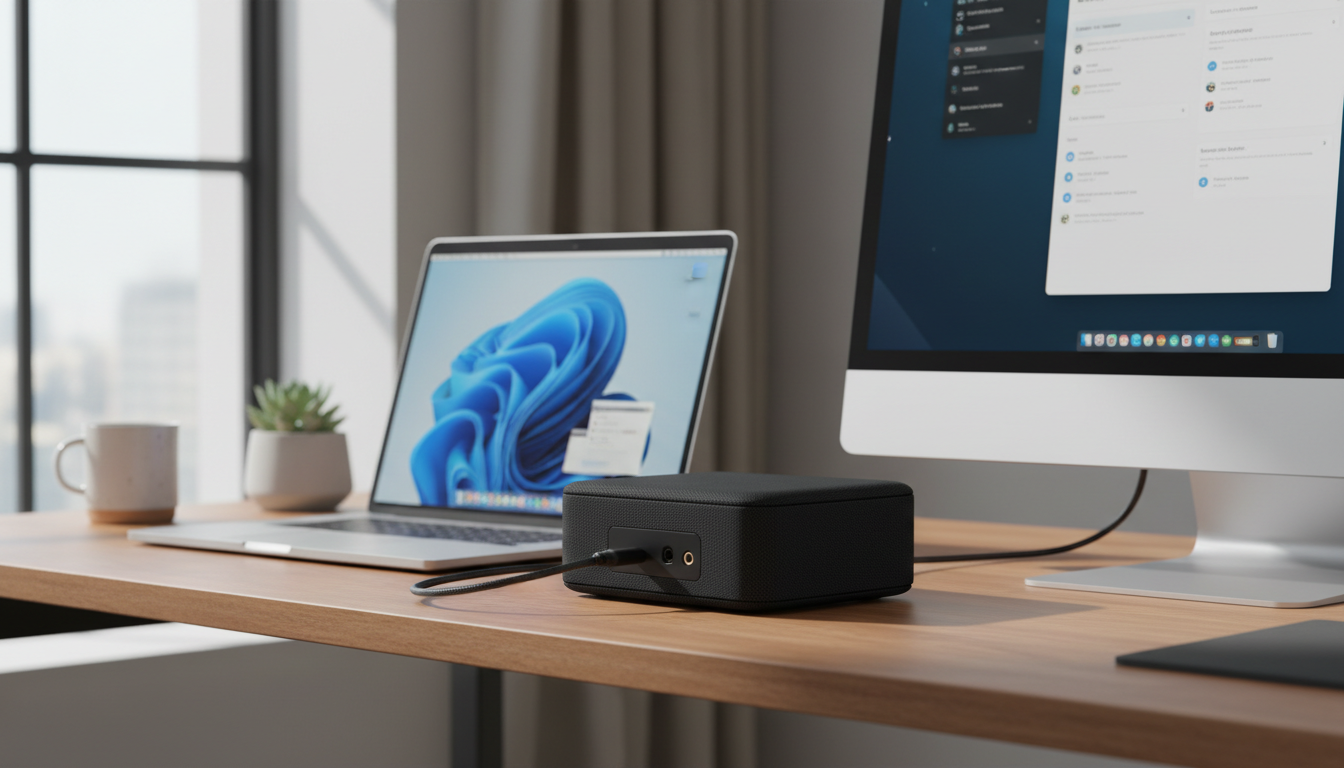
The Audio Dock looks like a squat black pill wrapped in fabric, with rubber on the top and bottom to keep it planted on your desk. All the ports sit on the back, along with the power connector. Microsoft attached the USB-C host cable permanently, which keeps things simple but drew complaints: Expert Reviews warned that the fixed cable can snag and drag the dock off the desk, and you can’t swap in a longer one.
Setup is plug-and-play. Connect the dock’s cable to a laptop USB-C port that supports DisplayPort Alternate Mode and power delivery, and Windows or macOS picks it up as a speaker, microphone, and hub. The free Microsoft Accessory Center app on Windows lets you adjust noise suppression and push-to-talk settings and install firmware updates.
Ports, displays, and charging
For a speaker, the Audio Dock has a respectable set of ports, but it’s thin compared with a dedicated docking station:
- HDMI 2.0: Drives a 4K monitor at 60Hz.
- USB-C with video: Supports DisplayPort Alternate Mode and Multi-Stream Transport (MST), so you can connect a second monitor. Microsoft says both video ports support up to 3840 x 2160 resolution, but your laptop’s bandwidth decides whether two 4K screens run at full refresh rate.
- USB-C (data) and USB-A: Both run at 10Gbps, faster than the 5Gbps ports on Logitech’s Logi Dock, according to Expert Reviews, and each supplies up to 7.5W to charge a phone or earbuds.
The dock passes up to 60W to your laptop, dropping to 50W while it plays audio. That’s enough for a Surface Laptop, a MacBook Air, or a budget machine like the one in our Lenovo IdeaPad 1i review, but Windows Central noted that more powerful laptops may slowly drain their batteries over a workday. A 14- or 16-inch performance machine, such as the laptop in our MacBook Pro M3 Pro review, needs more power than the dock provides. The dock also lacks an Ethernet port, a 3.5-millimeter headset jack, and a security lock slot.
Call quality and Teams features
Calls are where the Audio Dock shines. Windows Central called the microphones “very good,” with clear audio and solid isolation that tracked the speaker around a medium-sized room. Expert Reviews compared it with the more expensive Logi Dock and found call quality nearly identical, to the point that a colleague on the other end couldn’t tell which device was in use.
Dedicated buttons on top answer and end calls, mute the microphones, and adjust volume, and the Teams button brings Microsoft Teams forward on your screen. The dock carries Teams certification, but it also works as a standard speakerphone in Zoom, Google Meet, and other calling apps.
Music and speaker performance
The 15W woofer, 5W tweeter, and passive radiators give the Audio Dock more weight than a typical speakerphone. Expert Reviews measured it at 77.4 A-weighted decibels against the Logi Dock’s 78.3, found the Logi Dock had slightly more bass, and preferred the Audio Dock’s broader, less directional soundstage. Windows Central heard clear audio with surprising bass for the size, but noted that the dock can vibrate your desk above about 70% volume and recommended it for calls more than music.
In short, the dock sounds fine for background music, podcasts, and video, but it’s a single mono speaker. If music matters, pair your laptop with a set of desktop speakers or a good pair of headphones, such as the ones in our JBL Live 675NC review.
Pros and cons
Pros
- Excellent microphones and clear call audio
- Better speaker than most speakerphones
- Single-cable setup with 60W laptop charging
- Supports two external displays
- All USB ports run at 10Gbps
- Works with Teams, Zoom, Google Meet, Windows, and macOS
Cons
- Discontinued in practice and hard to find new
- No Bluetooth, Ethernet, or headset jack
- Attached host cable can’t be replaced
- 60W charging falls short for power-hungry laptops
- Mono speaker isn’t ideal for music
Microsoft Audio Dock alternatives
Amazon is our main affiliate partner, and it carries a range of speakerphone docks, standalone speakerphones, and USB-C docking stations that fill the Audio Dock’s role. Here’s how the best options compare:
Compare similar USB-C docks and speakerphones on Amazon
| Product | Type | Laptop charging | Best for | Shop |
|---|---|---|---|---|
| Microsoft Audio Dock | Speakerphone and Universal Serial Bus Type-C (USB-C) dock | Up to 60 watts (W) | Bargain hunters who find one cheap | Check price |
| Logitech Logi Dock | Speakerphone and USB-C dock with Bluetooth | Up to 100W | The closest all-in-one replacement | Check price |
| Jabra Speak2 55 | Portable USB and Bluetooth speakerphone | None | Affordable, Teams-ready call audio | Check price |
| Jabra Speak2 75 | Portable USB and Bluetooth speakerphone | None | Premium call audio with long battery life | Check price |
| Poly Sync 20 | Portable USB and Bluetooth speakerphone | None (can charge a phone) | Travel and small huddle rooms | Check price |
| Microsoft Surface Thunderbolt 4 Dock | Thunderbolt 4 docking station | Up to 96W | Surface and Thunderbolt laptop owners | Check price |
| Anker 563 USB-C Docking Station | Multi-display USB-C docking station | Up to 100W, per Anker | More ports for less money | Check price |
- Logitech Logi Dock: The most direct replacement. It adds Bluetooth, more ports, and up to 100W of charging, though it costs more. Expert Reviews found its call quality on par with the Audio Dock. See the Logi Dock on Amazon.
- Jabra Speak2 55 or 75: If you only need call audio, these portable speakerphones connect over USB-A, USB-C, or Bluetooth, use four microphones, and carry an Ingress Protection (IP) rating of IP64 for dust and splash resistance. The Speak2 75 adds longer battery life and extra call features. See Jabra Speak2 models on Amazon.
- Poly Sync 20: A rugged, battery-powered speakerphone that connects over USB or Bluetooth and doubles as a phone power bank. See the Poly Sync 20 on Amazon.
- A docking station plus a speakerphone: Pairing a Surface Thunderbolt 4 Dock or an Anker USB-C dock with a Jabra or Poly speakerphone gives you more ports, faster charging, and better flexibility than any all-in-one, often for a similar total price.
Whichever route you choose, a longer 100W-rated USB-C cable helps if your dock sits away from your laptop.
Who should buy the Microsoft Audio Dock?
Buy the Audio Dock if you find a new or open-box unit at a steep discount, you take a lot of Teams or Zoom calls, and you use a thin-and-light laptop that charges at 60W or less. It still handles calls, a monitor or two, and a few accessories from one cable. Skip it if you need Bluetooth, Ethernet, more than three USB ports, or faster charging, or if you want long-term warranty and firmware support. In those cases, the Logi Dock or a standalone dock paired with a speakerphone makes more sense.
Frequently asked questions
Does the Microsoft Audio Dock work with a Mac?
Yes, the Microsoft Audio Dock works with a Mac. Microsoft lists macOS support, and the dock works as a speaker, microphone, and hub on Macs with USB-C. Base Apple silicon MacBooks may support only one external display, so check your Mac’s display limits.
Does the Microsoft Audio Dock have Bluetooth?
No, the Microsoft Audio Dock doesn’t have Bluetooth. It connects only through its attached USB-C cable, so you can’t use it as a wireless speaker for your phone.
Can the Audio Dock run two monitors?
Yes, the Audio Dock can run two monitors. You can connect one display to the HDMI port and another to the video-capable USB-C port. Your laptop must support DisplayPort Alternate Mode over USB-C, and its bandwidth determines the maximum resolution and refresh rate across both screens.
Is there a Microsoft Audio Dock 2?
No, there is no Microsoft Audio Dock 2. Microsoft hasn’t announced a successor, and its 2023 accessory deal with Incase doesn’t appear to cover the Audio Dock. The Logitech Logi Dock is the closest current alternative.
Final verdict
The Microsoft Audio Dock still does its core job well: it delivers excellent call audio, a better-than-average speaker, and a clean single-cable desk for light laptops. Its missing Bluetooth, limited ports, 60W charging cap, and effectively discontinued status make it a bargain-bin buy rather than a first choice in 2026. Grab one if the price is right, or choose the Logi Dock or a dock-and-speakerphone combo for a longer-lasting setup. Check the current Microsoft Audio Dock price on Amazon.