Home Tech Land is reader-supported. When you buy through links on our site, we may earn a commission. As an Amazon Associate, we earn from qualifying purchases.
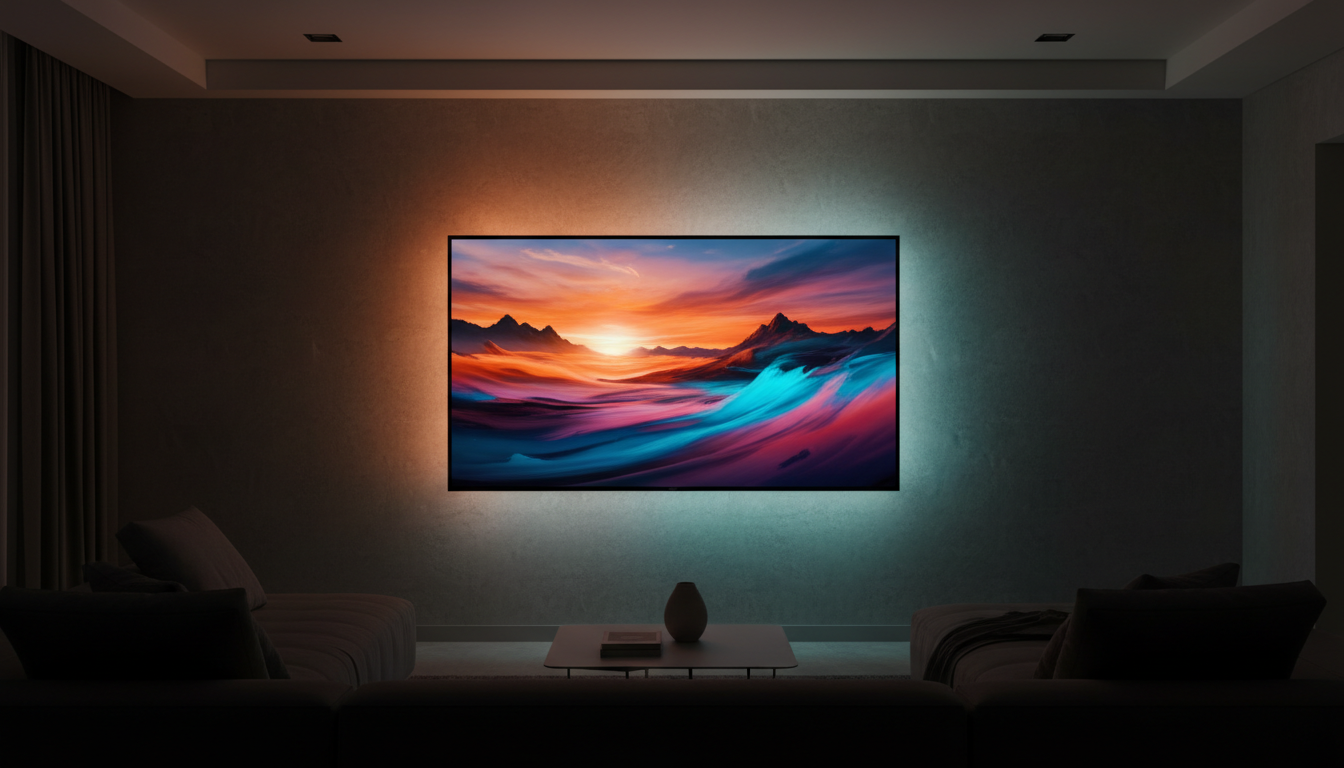
A TV backlight that syncs with your screen throws matching color onto the wall behind your TV, so explosions glow orange past the edges and a blue ocean scene spills into the room. Even when you turn the color effects off, a soft light behind the screen works as bias lighting, which makes blacks look deeper and eases eye strain in a dark room. This guide explains the three ways these kits sync, how to pick the right size, and which current models from Govee, Philips Hue, and Nanoleaf are worth buying in 2026.
Quick verdict: Most people should start with the Govee Envisual TV Backlight T2, a dual-camera kit that works with every input and app on your TV for about $100 to $140. Gamers and home theater fans who want the fastest, most accurate sync should step up to a High-Definition Multimedia Interface (HDMI) sync box like the Govee AI Sync Box Kit 2 or the Philips Hue Play HDMI Sync Box 8K. Check the Govee Envisual T2 price on Amazon.
How sync backlights work: camera, HDMI box, or app
Every sync backlight uses a light-emitting diode (LED) strip on the back of your TV. The difference is how the kit figures out what’s on screen.
Camera-based kits
A small camera clips to the top of your TV, points at the screen, and samples the colors near each edge. Because the camera watches the picture itself, it works with everything: built-in streaming apps, cable boxes, consoles, and antenna TV. Camera kits are also the cheapest option. The tradeoffs are a slight delay, colors that shift with room lighting and screen reflections, and a camera you have to recalibrate whenever you bump it. TechRadar’s Nanoleaf 4D review called out reflections and camera placement as the main weak spots.
HDMI sync boxes
An HDMI sync box sits between your sources (a streaming stick, game console, or Blu-ray player) and your TV. It reads the actual video signal, so color matching is more precise and nearly instant. TechRadar found the Philips Hue Play HDMI Sync Box 8K delivered fast, accurate sync with no noticeable lag. The catch is that a sync box only sees devices plugged into it. It can’t read your TV’s built-in apps, so you need an external streaming device for Netflix and similar services. It also adds cost and one more box to your setup.
App and PC sync
Some systems skip extra hardware entirely. Philips Hue’s Sync TV app runs directly on 2022 and newer Samsung QLED TVs (Q60 and up) and on 2024 and newer LG TVs running webOS 24 or later, and it syncs Hue lights with anything on the screen, including built-in apps. It requires a Hue Bridge and a subscription or one-time purchase. On a computer, the free Hue Sync, Govee, and Nanoleaf desktop apps sync lights with your monitor without a camera or box.
Samsung TV owners can check our Samsung Q8F review for one QLED model in the supported range.
Camera vs. HDMI vs. app sync at a glance
| Sync method | Accuracy and speed | Works with built-in TV apps? | Typical cost | Best for |
|---|---|---|---|---|
| Camera | Good, with slight delay | Yes | $70 to $160 | Most viewers and simple setups |
| HDMI sync box | Excellent, near-instant | No (external sources only) | $260 to $600 with lights | Gamers and home theaters |
| TV app (Hue Sync TV) | Excellent | Yes | Subscription or one-time fee, plus Hue lights | Recent Samsung and LG owners with Hue |
| PC app | Excellent | Not applicable | Free app, plus lights | Desk and monitor setups |
Sources: TechRadar’s Hue Sync Box 8K review, Philips Hue, and Govee’s product comparison.
The best TV backlights that sync with your screen
1. Govee Envisual TV Backlight T2: Best overall
The Envisual T2 (model H605C) uses two cameras instead of one, which helps it read the whole screen more accurately, and it packs 60 LEDs per meter for smooth color blending. Govee sells it in 55- to 65-inch, 75- to 85-inch, and 98- to 100-inch versions, with list prices from about $140 to $200, though the smallest kit often drops near $80 to $100 on sale. It works with Amazon Alexa and Google Assistant and can sync up to five other Govee lights. If you own a giant screen, it’s one of the few kits made for 100-inch TVs, a size we cover in our 100-inch TV guide. See the Envisual T2 on Amazon.
2. Govee TV Backlight 3 Lite: Best budget camera kit
The TV Backlight 3 Lite (H6099) costs less, from about $70 for 40- to 50-inch TVs to about $110 for 75- to 85-inch TVs. It uses a single camera with fish-eye correction and 30 LEDs per meter. Its strip adds dedicated white LEDs (Govee calls them RGBICW, for red, green, blue, independent control, and white), so it produces cleaner whites for everyday bias lighting than the T2. It’s the right pick for smaller TVs and tighter budgets. See the TV Backlight 3 Lite on Amazon.
3. Govee AI Sync Box Kit 2: Best HDMI sync value
Govee’s AI Sync Box Kit 2 (H6604) pairs a four-input HDMI 2.1 box with a bright strip rated at 75 LEDs and 450 lumens per meter. Govee lists passthrough up to 8K at 60 hertz (Hz) and 4K at 144 Hz, plus variable refresh rate (VRR) and auto low latency mode (ALLM), which matter for PlayStation 5, Xbox Series X, and gaming PCs. The kit lists for about $260 to $280 and includes the lights, so it costs far less than a comparable Hue setup. One caution: Govee’s own listing notes that maximum performance varies by TV, and its German frequently asked questions (FAQ) page mentions 4K at 60 Hz, so confirm compatibility with your TV before you buy. See the AI Sync Box Kit 2 on Amazon.
4. Philips Hue Play HDMI Sync Box 8K with Play gradient lightstrip: Best premium system
Hue’s sync box offers four HDMI 2.1 inputs and supports 8K at 60 Hz, 4K at 120 Hz, Dolby Vision, HDR10+ (a high dynamic range format), and Dolby Atmos passthrough, according to TechRadar. It lists for $349.99 and has dropped lower during sales. It needs a Hue Bridge and Hue lights: the Play gradient lightstrip comes in 55-, 65-, and 75-inch sizes, and the 55-inch version currently lists at $274.99 on the Hue store. The total easily tops $600, but you get the most polished app, the widest choice of lamps and light bars to add around the room, and support for Apple Home, Alexa, and Google Assistant. See the Hue Sync Box 8K on Amazon and the Play gradient lightstrip on Amazon.
5. Nanoleaf 4D Screen Mirror and Lightstrip Kit: Best for creative control
Nanoleaf’s camera kit fits TVs up to 65 inches ($99 list) or up to 85 inches ($119 list). Its 4D mode extends colors past the screen edges, while 1D, 2D, and 3D modes tone the effect down for documentaries or casual viewing. TechRadar praised its bright, responsive colors and broad support for Google Home, Apple Home, Alexa, Samsung SmartThings, and Razer Chroma. Downsides include 2.4-gigahertz (GHz) Wi-Fi only, sensitivity to reflections, and no Matter support. See the Nanoleaf 4D kit on Amazon.
6. A TV with lights built in: Philips Ambilight Roku TV
If you’re shopping for a new TV anyway, Philips brought its built-in Ambilight backlighting to the U.S. in October 2025 on Roku TV models. Tom’s Guide reported prices of $229 for 43 inches, $259 for 50 inches, $329 for 55 inches, and $389 for 65 inches, sold through Sam’s Club and Philips’ online store. Ambilight reads the picture internally, so it syncs with every app and input with no camera or box. These are budget TVs with HDR10 only, though, so they lack Dolby Vision. For other affordable options, see our best 55-inch TVs under $500.
How to choose the right size
Buy a kit rated for your TV’s diagonal size, and don’t round down. Most strips mount about an inch in from the edges of the TV’s back panel, so the strip length you need is a little less than the TV’s outer perimeter. As a guide, a 55-inch TV has a perimeter of about 150 inches (3.8 meters), a 65-inch TV about 177 inches (4.5 meters), and a 75-inch TV about 204 inches (5.2 meters).
- Check whether the strip can be cut. Govee strips can be trimmed at marked cut points, but the Hue Play gradient lightstrip can’t be cut or extended, so its size choice matters more.
- Check your wall distance. Backlights look best when the TV sits 4 to 12 inches from the wall. A flush wall mount concentrates the light into a tight halo, while a TV far from the wall washes it out.
- Consider extra lights. HDMI and app systems can sync light bars or lamps beside the TV for a wider effect.
Installation tips for even color
- Clean the back of the TV with isopropyl alcohol before you stick on the strip, so the adhesive holds.
- Start the strip at the corner the app tells you to, since the kit maps each LED to a screen position.
- Center the camera on the top bezel and keep it steady. Recalibrate it any time you move it.
- Close blinds or dim lamps that reflect off the screen, because reflections confuse camera kits.
- For HDMI boxes, use certified Ultra High Speed HDMI cables to keep 4K at 120 Hz and VRR working.
- Set the backlight brightness lower than you think. Bias lighting works best when it’s subtle.
If you need extra cables for a sync box, a pack of Ultra High Speed HDMI 2.1 cables keeps every input running at full bandwidth.
Pros and cons of sync backlights
Pros
- Improve perceived contrast and reduce eye strain in dark rooms
- Make movies and games feel more immersive
- Camera kits work with every input and app
- HDMI and app sync deliver near-instant, accurate color
Cons
- Camera kits react to room reflections and need recalibration
- HDMI boxes can’t read built-in TV apps
- Premium Hue setups get expensive quickly
- Visible strip lighting doesn’t suit TVs mounted flush in bright rooms
Compare TV backlights on Amazon
Amazon is our main affiliate partner, and it carries every major sync backlight kit from Govee, Philips Hue, and Nanoleaf.
Compare similar TV backlights on Amazon
| Product | Sync method | TV sizes | Extra hardware needed | Best for | Shop |
|---|---|---|---|---|---|
| Govee Envisual TV Backlight T2 | Dual camera | 55 to 100 inches | None | Best overall value | Check price |
| Govee TV Backlight 3 Lite | Single camera | 40 to 85 inches | None | Budgets and smaller TVs | Check price |
| Govee AI Sync Box Kit 2 | HDMI sync box | 55 to 85 inches | External streaming device | Gaming on a budget | Check price |
| Philips Hue Play HDMI Sync Box 8K | HDMI sync box | Any (with Hue lights) | Hue Bridge and Hue lights | Premium home theaters | Check price |
| Philips Hue Play gradient lightstrip | Hue sync box, TV app, or PC app | 55, 65, or 75 inches | Hue Bridge | Hue ecosystem owners | Check price |
| Nanoleaf 4D Screen Mirror and Lightstrip Kit | Camera | Up to 65 or 85 inches | None | Creative modes and smart home support | Check price |
- Govee Envisual T2: Dual cameras and dense LEDs at a mid-range price make it the easiest recommendation. Shop the Envisual T2.
- Govee AI Sync Box Kit 2: HDMI accuracy with lights included, for far less than Hue. Shop the AI Sync Box Kit 2.
- Philips Hue Sync Box 8K: The most refined system, best if you already own Hue lights. Shop the Hue Sync Box 8K.
Frequently asked questions
Do TV backlights add input lag?
No. Camera kits never touch the video signal, so they add no input lag, although the lights themselves may trail the picture slightly. HDMI sync boxes pass video through, and reviewers report no noticeable lag with models like the Hue Sync Box 8K. Check that the box supports your console’s 4K at 120 Hz and VRR settings.
Can a TV backlight sync with Netflix and other built-in apps?
Camera kits, the Hue Sync TV app, and built-in Ambilight TVs can. HDMI sync boxes can’t, because built-in apps never pass through their HDMI ports. Use an external streaming stick plugged into the box instead.
Do I need a Hue Bridge for Philips Hue TV sync?
Yes. The Hue Play HDMI Sync Box, the Hue Sync TV app, and the Play gradient lightstrip all require a Hue Bridge.
What size TV backlight should I buy?
Buy the kit rated for your TV’s diagonal size. For example, a 65-inch TV needs a kit labeled for 55 to 65 inches or a 65-inch strip, which covers roughly 4.5 meters of perimeter.
Final verdict
For most people, the best TV backlight that syncs with your screen is the Govee Envisual TV Backlight T2, because it works with every app and input and costs far less than an HDMI system. Gamers should consider the Govee AI Sync Box Kit 2, and Hue owners should go straight to the Hue Play HDMI Sync Box 8K or the Hue Sync TV app. Check the current Govee Envisual T2 price on Amazon.