
Home Tech Land is reader-supported. When you buy through links on our site, we may earn a commission. As an Amazon Associate, we earn from qualifying purchases.
If you’ve shopped for a 4K TV recently, you’ve seen “local dimming” on nearly every spec sheet, from $300 budget sets to $3,000 flagships. So what is local dimming, and why does the same phrase deliver such different results? Local dimming lets a liquid crystal display (LCD) TV dim or switch off parts of its backlight behind dark areas of the picture while keeping bright areas lit. Done well, it produces deeper blacks, brighter highlights, and far better high dynamic range (HDR) movies and games. Done poorly, it barely changes anything. This explainer covers how local dimming works, the four main display technologies, blooming, misleading marketing, and how to check what a TV really offers.
Quick verdict: For real local dimming on a budget, look for a Mini light-emitting diode (Mini LED) TV with full-array local dimming, such as the TCL QM6K or the 2026 Hisense U7. If you watch mostly in a dark room and can spend more, an organic light-emitting diode (OLED) TV like the LG C5 skips the backlight entirely and controls every pixel. Check Mini LED TV prices on Amazon.
What is local dimming?
An LCD panel can’t make its own light. A backlight made of light-emitting diodes (LEDs) shines through the liquid crystal layer, and the crystals block or pass that light to form the image. The problem: liquid crystals leak some light even when they try to show black. With the whole backlight on, dark scenes look gray, especially in a dark room.
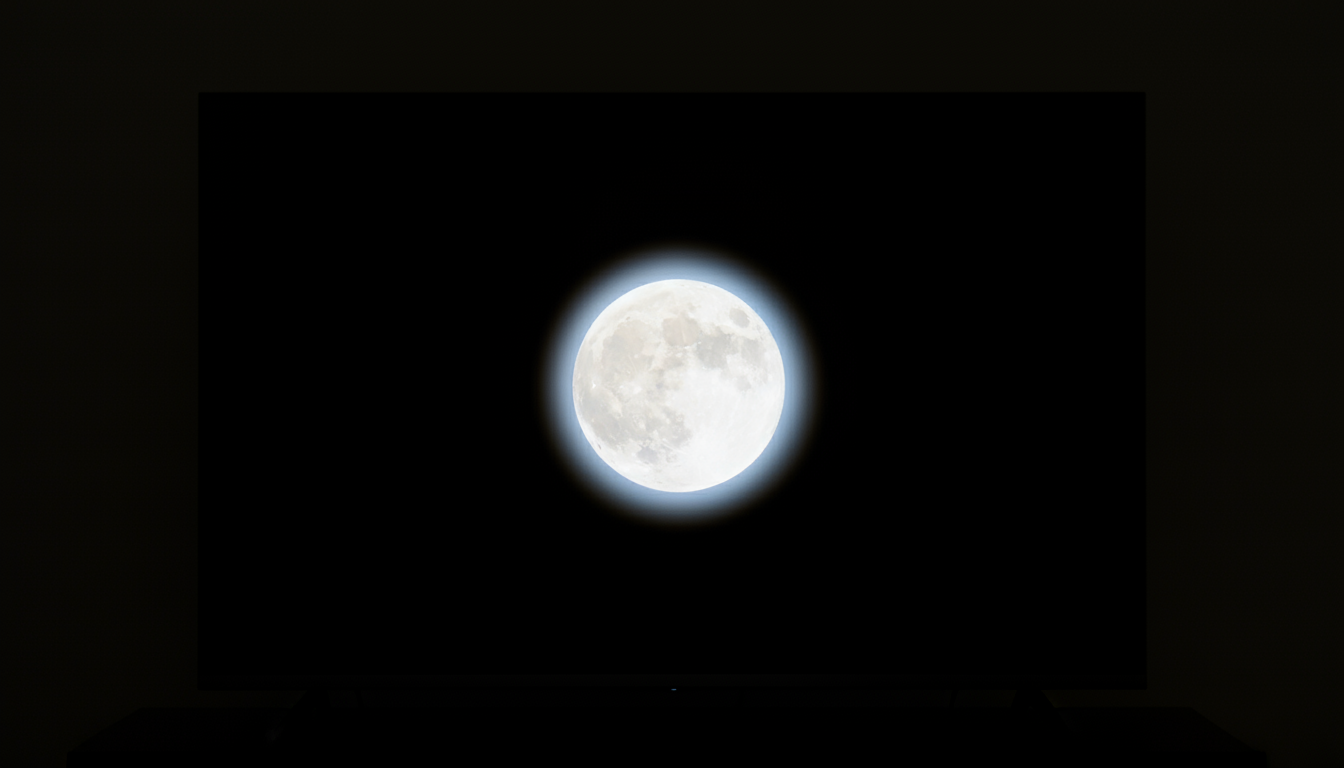
Local dimming splits the backlight into separately controlled sections called dimming zones. When a scene shows a moon in a night sky, the TV turns down or switches off the zones behind the black sky and drives the zones behind the moon brighter. The result is higher contrast, the difference between the brightest and darkest parts of the image, and contrast matters more to picture quality than 4K resolution alone.
Local dimming matters most for HDR content in formats like HDR10, HDR10+, and Dolby Vision. HDR asks the TV to show very bright highlights next to deep shadows in the same frame. Without local dimming, a TV must choose between raising the whole backlight, which grays out the shadows, or keeping it low, which flattens the highlights.
Edge-lit vs. full-array vs. Mini LED vs. OLED
Edge-lit local dimming
Edge-lit TVs place LEDs along one or more edges of the screen and spread the light across the panel with a light guide. That design allows thin, affordable TVs, but each zone covers a whole vertical or horizontal strip of the screen. When a bright object appears, the TV has to light an entire column or band, so blacks above and below it brighten too. Samsung’s 2025 Q8F, for example, uses what reviewers describe as an essentially edge-lit “Dual LED” system with Samsung’s Supreme UHD Dimming. TechRadar found its local dimming “unrefined,” with a clouding effect and gray blacks in dark films.
Full-array local dimming (FALD)
Full-array TVs place a grid of LEDs directly behind the panel, so each zone controls a rectangle of the screen rather than a strip. Even a modest number of zones beats edge-lit dimming for dark scenes. Amazon’s 2025 Fire TV Omni QLED, a quantum-dot LED (QLED) TV, uses full-array local dimming with conventional LEDs, but Tom’s Guide still measured only about 600 nits of HDR brightness and called its contrast control weak. Zone count and processing matter as much as the label.
One trap: some TVs use a full-array, or “direct-lit,” backlight with no local dimming at all. The LEDs sit behind the panel, but they all brighten and dim together. Our Hisense QD5 review covers one example: the original listing claimed full-array local dimming, but Hisense’s spec sheet confirms the TV has none.
Mini LED
Mini LED is full-array local dimming with much smaller LEDs, often thousands of them, grouped into hundreds or thousands of zones. Smaller zones mean less light spills into dark areas and higher peak brightness. Mini LED has moved down to budget prices: TechRadar reports that the TCL QM6K uses about 500 zones and rated its blooming control “very good,” and the 2026 Hisense U7 lists up to 3,000 zones and 3,000 nits on its larger sizes. Tom’s Guide measured about 2,270 nits of HDR brightness from a 75-inch TCL QM7L, TCL’s 2026 step-up model, with only minor blooming.
In 2026, Hisense, TCL, Samsung, and Sony also began selling red, green, and blue (RGB) Mini LED TVs (Samsung calls its version Micro RGB), which use separate red, green, and blue LEDs instead of white or blue ones. TechRadar expects the technology to improve color and brightness control, but these sets still cost premium prices.
OLED (self-emissive)
OLED TVs don’t have a backlight, so they don’t need local dimming. Each of a 4K panel’s roughly 8.3 million pixels makes its own light and switches off completely for true black. That gives OLED perfect contrast and no blooming, which is why it remains the dark-room favorite. The tradeoffs: OLED usually costs more per inch, gets less bright across the full screen than the best Mini LED sets, and carries a small long-term risk of burn-in with static images. Tom’s Guide measured roughly 1,100 nits of HDR highlight brightness from the LG C5.
Dimming zones and blooming explained
A dimming zone is the smallest area of the backlight that the TV can control on its own. More zones generally mean finer control, but processing matters just as much. A well-tuned TV with 500 zones can outperform a sloppy one with 2,000.
Blooming, also called haloing, happens when a zone lights up for a bright object and the light spills into the dark area around it. You’ll notice it as a glowing halo around white subtitles on a black background, stars in space scenes, or a cursor on a dark menu. Edge-lit TVs bloom in bands across the screen, full-array TVs bloom in softer blocks, Mini LED TVs keep halos tight, and OLED TVs don’t bloom at all.
Manufacturers also tune their dimming differently. Some dim aggressively for inky blacks but crush shadow detail or dim small highlights, while others keep zones brighter for detail at the cost of more blooming. Viewing angle matters too: Tom’s Guide noted that the QM7L’s blooming showed up mainly when viewed from the side.
Why “local dimming” claims can mislead
- No standard definition: Nothing stops a brand from calling an edge-lit TV with a handful of zones “local dimming,” the same phrase used on a 2,000-zone Mini LED TV.
- Software or frame dimming: Some budget TVs dim the entire backlight at once in dark scenes, a technique called frame or global dimming, and pair it with contrast-boosting software. Vizio’s Active Pixel Tuning, which we cover in our Vizio V4K65X-08 review, adjusts the picture in software and isn’t true local dimming.
- Branded names hide the details: Terms like “Supreme UHD Dimming,” “Precision Dimming,” or “Halo Control” don’t tell you whether a TV is edge-lit or full-array.
- Missing zone counts: Samsung and LG rarely publish zone counts. TCL and Hisense often do, but they usually quote the figure for the largest screen size, and smaller sizes get fewer zones.
- “Direct-lit” without dimming: A direct-lit or full-array backlight doesn’t guarantee local dimming. Check that the spec sheet lists both.
How to check whether a TV has real local dimming
- Read the manufacturer’s spec sheet, not just the retail listing. Look for “full-array local dimming” or “Mini LED” and a zone count. If a sheet says “local dimming: no” or omits it, assume the TV lacks it.
- Check independent reviews. RTINGS, Tom’s Guide, TechRadar, and CNET measure contrast, brightness, and blooming, and they often count zones themselves.
- Look for a local dimming setting in the picture menu. Real local dimming usually has Low, Medium, and High settings. If you only find dynamic contrast options, the TV likely relies on software.
- Run a quick test in a dark room. Play a starfield scene or show white text on a black screen. Wide gray bands suggest edge-lit dimming, small halos suggest full-array or Mini LED, and no halos at all suggests OLED.
- Be wary of very cheap “local dimming” TVs. If a 65-inch TV costs well under $400 and lists local dimming, check whether it’s edge-lit or frame dimming.
Compare TVs by dimming technology
Amazon is our main affiliate partner, and it carries TVs in every dimming category. The table below shows how current models compare. Prices change often, so treat these 65-inch ranges as approximate and check the listing.
Compare similar 4K TVs on Amazon
| TV | Dimming technology | Zones | Approx. 65-inch price | Best for | Shop |
|---|---|---|---|---|---|
| Samsung Q8F (2025) | Edge-lit with zone dimming | Not published | About $500 to $800 | Bright rooms and Samsung fans on a budget | Check price |
| Amazon Fire TV Omni QLED (2025) | Full-array local dimming (standard LEDs) | Not published for 2025 model | About $700 to $850 | Alexa households | Check price |
| TCL QM6K | Mini LED full-array local dimming | About 500 (per TechRadar) | About $600 to $800 | Best-value real local dimming | Check price |
| Hisense U7 (2026, U7SG) | Mini LED full-array local dimming | Up to 3,000 (larger sizes) | About $850 | Bright HDR and 165-hertz (Hz) gaming | Check price |
| TCL QM7L (2026) | Mini LED full-array local dimming | Up to 2,100+ (98-inch) | About $1,200 to $1,500 | Bright rooms and HDR movies | Check price |
| LG C5 OLED (2025) | Self-emissive OLED (no backlight) | About 8.3 million pixels | About $1,400 | Dark-room movie watching | Check price |
- TCL QM6K vs. Hisense U7: Both are popular Mini LED picks. The U7 adds more zones and higher brightness for a higher price, and our TCL vs. Hisense comparison breaks down how the two brands differ. See the TCL QM6K on Amazon.
- LG C5 vs. LG C6: LG’s 2026 C6 adds a 165Hz refresh rate, but Tom’s Guide considered the C5 the better value for 42- to 65-inch sizes while the C6 sold at launch prices. See the LG C6 on Amazon.
- Smaller rooms: If 65 inches is too big, our guide to the best 55-inch TVs under $500 lists Mini LED models with local dimming at lower prices.
Sources: TechRadar’s Samsung Q8F review, Tom’s Guide’s Omni QLED review, TechRadar’s TCL QM6K review, Tom’s Guide’s TCL QM7L review, and Tom’s Guide’s LG C5 vs. C6 comparison.
How to get the most from local dimming
- Turn local dimming on and pick a level. Many TVs default to Medium. High gives deeper blacks in dark rooms; Low reduces blooming if halos bother you.
- Use Filmmaker Mode or a Movie preset for films. These modes usually produce the most accurate picture, but check that they don’t turn local dimming off or down on your TV.
- Keep the firmware updated. Manufacturers often refine dimming algorithms after launch.
- Don’t max out brightness in a dark room. A very bright backlight increases visible blooming on LCD TVs.
- Add bias lighting. A soft light behind the TV makes blacks look deeper and reduces eye strain. See our picks for the best TV backlights that sync with your screen, or browse TV bias lights on Amazon.
Frequently asked questions
Is local dimming worth it?
Yes, if it’s full-array or Mini LED and you watch movies, HDR content, or anything in a dim room. Edge-lit dimming helps much less, and software dimming barely helps at all.
Should I turn local dimming on or off?
Leave it on for movies and TV. Some gamers and computer users lower it because dimming can blur small bright objects like cursors, or cause brightness to shift as zones adjust.
Does OLED have local dimming?
No. OLED pixels produce their own light and turn off individually, so OLED TVs get perfect blacks without any dimming zones.
How many dimming zones do I need?
There’s no magic number, but a few hundred well-controlled zones on a 65-inch Mini LED TV make a clear difference over edge-lit or no dimming. Check reviews for blooming rather than relying only on zone counts.
Final verdict
Local dimming is one of the biggest contributors to picture quality on an LCD TV, but the label alone tells you little. Edge-lit dimming offers a small improvement, full-array dimming helps more, and Mini LED delivers the deep blacks and bright highlights HDR needs at surprisingly low prices. OLED sidesteps the issue entirely with per-pixel control. Before you buy, confirm the backlight type and zone count on the spec sheet and read an independent review. Check current Mini LED TV prices on Amazon.
3 thoughts on “What Does Local Dimming Mean on 4K TVs?”